

Description
Download How to Install Windows 7 – how to install windows 7, windows 7 installation guide, install windows 7 on pc, windows 7 tutorial, windows 7 setup guide
Overview
The How to Install Windows 7 app is a free educational tool designed to guide users through the process of installing the Windows 7 operating system on a desktop device. Its primary purpose is to provide step-by-step instructions with visual references to help users understand the installation workflow. The software targets individuals who may be new to system setup or those seeking a structured reference for the installation process, particularly in educational or self-learning environments.
Developed by android, the app does not include the actual Windows 7 operating system file or installation media. Instead, it functions solely as a reference guide, similar in structure to other OS installation tutorials. The content is presented in a linear format, with instructions broken down into manageable stages. Real-world usage scenarios include personal computer setup, classroom training, or technical documentation for beginners.
While the app aims to simplify a complex process, its effectiveness is limited by design constraints. The developer did not provide additional system requirements, and the app’s functionality is restricted to displaying static content. No interactive tools, troubleshooting aids, or dynamic feedback are included. Despite its free availability, users are advised to consider alternative sources for installation guidance, as the app’s interface and visual quality may hinder usability.
Key Features & Capabilities
- Step-by-step installation instructions – The app presents a structured walkthrough of the Windows 7 setup process, covering booting from installation media, partitioning, and system configuration.
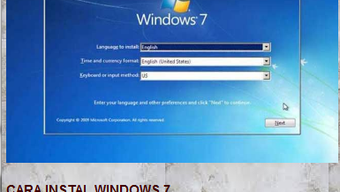
- Visual reference illustrations – Includes diagrams and screenshots to accompany each step, aiding visual learners in identifying interface elements during installation.
- Text-based guidance – Provides written explanations for each stage, intended to clarify technical actions such as selecting installation type or configuring user accounts.
- Offline access – Once installed, the guide can be accessed without an internet connection, which is beneficial for users in low-connectivity environments.
- Simple navigation – Offers a linear flow through the installation process, allowing users to follow one step at a time.
These features aim to assist users with limited technical experience by breaking down a complex task into digestible parts. However, the lack of search functionality, zoom options, or cross-referencing limits the app’s utility. Users cannot jump to specific sections or clarify ambiguous steps, which may lead to frustration during critical stages of setup. The guide is not interactive and does not adapt to user input or system conditions.
User Interface, Workflow & Performance
The user interface of How to Install Windows 7 follows a minimalistic layout focused on content delivery. Navigation is linear, with users progressing through the guide in a sequential manner. The interface includes basic text blocks and static images, with no dynamic elements or responsive design features.
Workflow efficiency is hindered by the absence of key usability enhancements. The text is displayed in a small font size, which may strain readability, especially for users with visual impairments. Additionally, the images provided are described as grainy or pixelated, reducing clarity when identifying on-screen elements during actual installation. Neither the text nor the visuals support zooming, which limits the ability to inspect details.
Performance observations are based on general software behavior patterns. The app runs on Windows and has a file size of 10 MB, suggesting lightweight operation. The developer did not specify resource usage details, so CPU and RAM behavior remain unknown. Stability appears to be consistent for basic navigation, but no information is available on crash rates or response times under prolonged use.
Compatibility & System Requirements
The software is compatible with Windows operating systems, as specified in the provided details. It is available in version 1.0 and has an installation size of 10 MB. The developer did not list specific hardware requirements, such as minimum RAM, processor speed, or disk space beyond the total file size.
Exact system requirements were not listed. Compatibility information was partially provided. The app is designed for desktop devices, but no further details about supported Windows versions (e.g., Windows 7, 10, 11) are available. Users should verify system compatibility before installation, as the app may not function properly on systems with outdated or unsupported configurations.
Pros and Cons
Pros
- Free to download and use
- Provides offline access to installation instructions
- Simple, linear workflow suitable for beginners
- Includes visual references to support understanding
- Small file size, minimal system impact
Cons
- Text is displayed in a very small font size
- Images are grainy and lack clarity
- No zoom or search functionality
- Cannot jump between sections or revisit prior steps easily
- Limited to static content with no interactive tools
FAQ Section
Is How to Install Windows 7 available for Mac?
The app is designed for Windows operating systems. No information is available about Mac compatibility.
Does the app include the Windows 7 installation file?
No. The app does not provide the Windows 7 ISO or installation media. It only serves as a guide to help users understand the process.
Can I use this app without an internet connection?
Yes. Once installed, the app can be used offline, making it accessible in environments with limited or no internet access.
Is the app safe to download and install?
The app is free and developed by android. No security threats were reported. However, users should ensure the source is legitimate before installation.
Does the app receive regular updates?
Information about update frequency was not provided. The current version is 1.0, and no details about future updates are available.
Final Thoughts + CTA
While How to Install Windows 7 offers a straightforward approach to guiding users through OS setup, its limitations significantly impact usability. The small text, low-quality visuals, and lack of essential navigation tools make it difficult to follow in practice. Although the app is free and lightweight, it does not offer any unique advantages over freely available online guides.
For users seeking reliable, accessible, and well-designed installation support, alternative resources are recommended. The app may serve as a basic reference for those with no other options, but it is not optimized for real-world use. If you're preparing to install Windows 7, consider searching for a detailed tutorial with high-resolution images and interactive content.
Download How to Install Windows 7 now if you need a simple, offline guide—but be aware of its constraints.
Guides & Tutorials for How to install windows 7 APK
How to install How to install windows 7 APK
- Click the Preview / Download button above.
- Once redirected, accept the terms and click Install.
- Wait for the How to install windows 7 APK download to finish on your device.
How to use How to install windows 7 APK
This software is primarily used for its core features described above. Open the app after installation to explore its capabilities.
User Reviews for How to install windows 7 APK 0
No reviews found





